
Quick answer
To launch a Shopify store that sells, validate demand for one hero product before building anything, then set up a lean store: choose the plan that matches your staff and reporting needs, start from an Online Store 2.0 theme, install only essential apps, configure payments, shipping and legal policies, test tracking pixels through checkout, and plan your first 90 days of traffic before you go live.
Key takeaways
- Validate demand with real buyers before you spend on design; a store cannot fix a product nobody wants.
- Start on the smallest Shopify plan that covers your staff and reporting needs and upgrade later, since plan changes do not require a rebuild.
- Shopify Payments is available in the US, UK and UAE but not in Saudi Arabia, Qatar or Oman, so GCC stores outside the UAE need a third-party gateway.
- Install and test analytics and ad pixels before launch day, through a real test order, or your first campaigns will optimise on missing data.
- Traffic in the first 90 days usually comes from paid social, email capture and creators; SEO compounds later, so start it early but do not depend on it.
Opening a Shopify store takes an afternoon. Launching one that takes orders from strangers is a different project. Most stores that stall do not fail on design; they fail because the product was never tested with buyers, the tracking was broken on day one, or nobody planned where the first thousand visitors would come from.
This guide follows the order we use when we build stores for new brands: prove demand, set up the brand, make the platform decisions, wire up payments, shipping, legal pages and tracking, then plan the first 90 days. Product facts are correct as of October 2026; Shopify changes features often, so check the linked help pages before you commit.
What Should You Validate Before You Build a Shopify Store?
Validate that real people will pay for your product at your intended price before you spend on design. A beautiful store multiplies demand that already exists; it does not create demand on its own.
Validation does not need to be elaborate. You are looking for evidence that strangers, not friends, want the product and that your margin survives shipping, returns, payment fees and advertising.
- Pre-orders or a waitlist: a simple landing page with a clear offer and an email capture. Sign-ups from paid traffic are a stronger signal than likes.
- Small paid tests: run two or three ad angles to a basic page and measure click-through and sign-up rate, not reach.
- Marketplace or social selling: if you already sell on Instagram, TikTok or at markets, your order history is validation.
- Unit economics on paper: list landed cost, packaging, shipping, payment fees, expected return rate and a realistic cost to acquire a customer. If the numbers only work with free traffic, rethink the price or the product.
Choose one hero product to lead with. A single strong product is easier to photograph, explain and advertise, and your early data will be readable instead of spread thin across a dozen items.
How Do You Get Your Brand Ready for Launch?
Your brand needs a name you can own across domain and social handles, a one-line positioning statement, and a visual identity consistent enough to make ads and the store feel like the same company.
Write the positioning before the logo. "Organic merino base layers for UK hikers who run cold" tells a designer, a copywriter and an ad buyer far more than a mood board does. Then lock the essentials: logo, two or three brand colours, a type pairing, a tone of voice and a photography direction. Our guide to brand identity for a new ecommerce brand covers this in detail.
Photography is the brand asset that most affects conversion. Plan for clean product shots on a consistent background, lifestyle images showing scale and use, and short vertical video for social and product pages. Commission it before the store build starts, because a theme designed around placeholder images rarely survives contact with the real ones.
Which Shopify Plan Should You Start On?
Start on the smallest plan that covers your staff accounts, reporting and shipping needs, and upgrade when you outgrow it. Changing plans does not require rebuilding the store.
As of October 2026, Shopify's main online plans are named Basic, Grow and Advanced, with Shopify Plus for high-volume and enterprise brands. Shopify also lists smaller plans such as Starter, aimed at selling through social links rather than a full storefront. Fees change and vary by country, so check Shopify's current pricing page rather than relying on figures quoted in blog posts.
| Plan | Typically suits | Feature differences worth knowing |
|---|---|---|
| Basic | Founders launching alone or with one helper | No additional staff accounts; limited checkout customisation; limited data access for custom apps |
| Grow | Small teams with a few people in the admin | Up to 5 staff accounts; full data access for custom apps |
| Advanced | Established brands needing deeper reporting and shipping options | Up to 15 staff accounts; third-party calculated shipping rates; higher API limits on select APIs |
| Shopify Plus | High-volume, B2B or multi-store brands | Unlimited staff; fully customisable checkout; more inventory locations and headless storefronts |
The plan is rarely the biggest line in your budget. Themes, apps, content and development usually matter more, which we break down in how much a Shopify store costs to build.
How Do You Choose a Shopify Theme?
Choose an Online Store 2.0 theme from the Shopify Theme Store whose product page already fits how you sell, then customise it. Picking on the demo homepage is the most common mistake.
Online Store 2.0 is Shopify's theme architecture built on JSON templates and "sections everywhere", which lets you add, remove and reorder sections on most pages in the theme editor without code. Themes in the Theme Store must meet Shopify's published requirements, including a minimum average Lighthouse performance score of 60 and accessibility score of 90 across key pages. That is a floor, not a guarantee, so test the theme with your own images and apps installed.
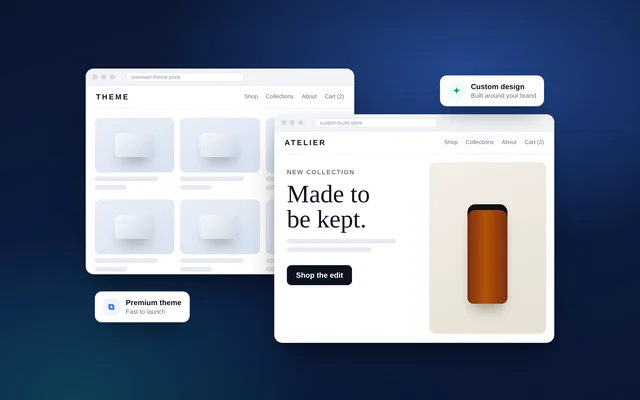
Judge a theme on four things: the product page layout (gallery, variant pickers, room for size guides and reviews), mobile navigation, collection filtering, and how it handles your number of variants. If no theme fits a core part of your offer, such as a product configurator, read custom Shopify theme vs premium theme before you start bolting on apps.
Which Apps Does a New Shopify Store Actually Need?
Most new stores need only a handful of apps at launch: reviews, email and SMS marketing, the sales channels you advertise on, and anything your offer depends on, such as subscriptions. Everything else can wait for data.
Each app can add scripts to your storefront, a recurring fee and another thing to break during theme updates. Prefer apps that use theme app extensions; Shopify notes that app blocks added this way are removed with the app when it is uninstalled, rather than leaving code behind in your theme.
- Reviews: collect them from your first orders; social proof matters most when the brand is unknown.
- Email and SMS: a welcome flow, abandoned checkout flow and post-purchase flow before launch.
- Sales channels: the Google and Meta channel apps for product feeds and conversion data.
- Offer-specific apps: subscriptions, bundles or product options only if they are part of the launch offer. See Shopify subscriptions and bundles.
How Should You Set Up Payments and Checkout?
Use Shopify Payments if it is available in your country, because it is the simplest setup and avoids Shopify's extra transaction fee on third-party gateways. Where it is not available, choose a local gateway that supports the payment methods your customers expect.
As of October 2026, Shopify lists Shopify Payments as supported in the United States, United Kingdom and United Arab Emirates, among other countries. Saudi Arabia, Qatar and Oman are not on the list, so stores based there need a third-party provider. Shopify states that third-party transaction fees apply on third-party and alternative gateways, even when Shopify Payments is active, with PayPal and manual payments excluded in that case.
Regional expectations differ. US and UK shoppers expect Apple Pay, Google Pay, Shop Pay and buy-now-pay-later options. Many GCC shoppers still expect cash on delivery alongside cards and local BNPL providers; our guide to Shopify for Saudi Arabia and the GCC covers the trade-offs. Advanced checkout customisation is a Shopify Plus feature, so on other plans focus on branding, trust signals and a smooth cart rather than redesigning checkout.
How Do You Set Up Shipping, Tax and International Selling?
Set clear shipping rates by zone, a free-shipping threshold above your average order value, and tax settings for each place you are registered. Show delivery times on the product page, not just at checkout.
Simple rules beat precise ones at launch: flat rates by zone, or free shipping over a threshold, are easier to communicate than weight-based tables. Check that your rates cover packaging and returns, not just postage.
If you plan to sell abroad, Shopify Markets (Shopify's international sales tools) lets you create markets for countries or groups of countries and manage local currencies, languages, domains, pricing and duties from one store. Launch in your home market first, then add markets once fulfilment is reliable. Tax rules differ sharply by region: see launching a Shopify brand in the USA for sales tax and Shopify for UK brands for VAT.
Which Legal Pages Does a Shopify Store Need?
Publish a privacy policy, terms of service, a refund or return policy, a shipping policy and clear contact information before launch. Payment providers and ad platforms may review these pages.
Shopify can generate templates for store policies, but its help centre is explicit that you are responsible for following your published policies. Edit the templates so they match what you will actually do about return windows, refund timing and who pays return postage.
Cookie consent matters if you sell into the UK or EEA. Shopify's customer privacy settings can automatically configure a cookie banner for visitors in those regions if you have active markets there, and non-essential data is collected only after consent. Plan for this when you read your ad data: consent rates affect what your pixels can see.
How Do You Set Up Analytics and Pixels Before Launch?
Install Google Analytics 4, the Meta pixel and any other ad platform tracking through Shopify's customer events before launch, then confirm every event fires on a real test order. Launching with broken tracking wastes your first ad budget.
Shopify's pixels manager supports app pixels, installed by marketing apps, and custom pixels added by a developer. Both can run across the online store and checkout. Older methods are being retired: Shopify set 26 August 2026 as the deadline for non-Plus stores to upgrade their Thank you and Order status pages, which removes legacy additional scripts from those pages. If you are reusing a tracking setup from an older store, rebuild it on pixels rather than copying old snippets.
What Should Be on Your Shopify Launch Checklist?
Your launch checklist should cover products, checkout, tracking, legal and operations, and every item should be tested on a phone rather than ticked from memory.
| Area | Check before launch |
|---|---|
| Products | Titles, descriptions, variants, prices, weights, SKUs and alt text complete; no placeholder images |
| Checkout | Test order for every payment method; discount codes work; taxes and shipping correct for each zone |
| Tracking | GA4 and ad pixels record view, add-to-cart, checkout and purchase events with correct values |
| Order confirmation, shipping and abandoned checkout emails branded and tested | |
| Legal | Policies published and linked in the footer; cookie banner live for UK and EEA visitors |
| Domain and SEO | Primary domain connected; page titles and meta descriptions written; password page removed |
| Operations | Stock levels set; packaging ready; returns process written down |
How Do You Get Traffic in the First 90 Days?
In the first 90 days, most sales come from paid social, your own audience, creators and email capture, not from search. Start SEO work immediately, but treat it as a compounding channel that pays off later.
- Days 1–30, learn: launch to your waitlist with a time-limited offer. Run a small number of ad creatives with distinct angles and let them gather data. Send product to a few creators whose audience matches your buyer.
- Days 31–60, fix: use session recordings and funnel reports to find where people drop off. Product page clarity, delivery information and reviews are usually the first fixes; see Shopify CRO changes that raise conversion rate.
- Days 61–90, scale what works: move budget to winning creatives, build a regular content rhythm using a social media content plan for Shopify brands, and publish helpful collection and guide content for search. Our Shopify SEO guide covers the technical basics.
Measure contribution margin per order, not just revenue. A store that sells a lot at a loss after ad spend has a pricing or targeting problem, not a traffic problem.
How VEATEX Helps
VEATEX is a Shopify, web and software development agency that also builds Peppol e-invoicing platforms for the GCC, working with clients in the US, UK and the Gulf for over 11 years. For new brands we handle the platform side of launch: theme selection and customisation, custom sections, payments and shipping configuration, tracking setup and pre-launch QA. html">work page. If you are planning a launch, our Shopify development service explains how we scope it.
Frequently Asked Questions
How long does it take to launch a Shopify store?
A simple store built on a premium theme with a small catalogue can be ready in a few weeks once products, photography and copy are finished. Content is usually the bottleneck, not development. Stores with custom sections, bundles, subscriptions or integrations with an ERP or 3PL take longer because each feature needs building and testing. Agree a launch date only after content is locked.
Do I need a company to open a Shopify store?
Shopify lets individuals open stores, but your payment provider decides who can be paid out. Shopify Payments asks for business and bank verification that varies by country, and some GCC gateways require a trade licence. Check the requirements for your country and payment provider before you build, because the answer affects which gateway, currency and legal entity appear on your checkout.
Should I launch with one product or a full catalogue?
Launching with one hero product, or a tight range of up to a handful of products, is easier to market and easier to read in your data. You learn which message, price and audience converts without splitting a small budget across many items. Add range once you have proof that people buy and come back, and use bundles to raise order value.
Can I change my Shopify theme after launch?
Yes. Shopify lets you install a new theme as a draft, customise and preview it, then publish it while the live store keeps trading. Products, customers and orders stay in place because they are not stored in the theme. What does need redoing is theme settings, section layouts and any custom code or app blocks placed in the old theme.
Which apps should a new Shopify store install first?
Start with reviews, email and SMS marketing, and the sales channels you will use, such as the Google and Meta channel apps. Add a subscriptions or bundles app only if it is part of your offer. Avoid stacking pop-ups, upsell widgets and page builders on day one; each adds scripts, recurring fees and potential conflicts that slow your store.
What legal pages does a Shopify store need?
At minimum, publish a privacy policy, terms of service, a refund or return policy, a shipping policy and clear contact details. Shopify can generate templates for several of these, but it states that you remain responsible for following what you publish. Stores selling to the UK or EEA also need cookie consent before non-essential tracking runs.
Sources
- Shopify pricing — Shopify
- Shopify plans — Shopify Help Center
- Shopify Payments supported countries — Shopify Help Center
- Third-party payment providers — Shopify Help Center
- Online Store 2.0 — Shopify.dev
- Theme Store requirements — Shopify.dev
- Store policies — Shopify Help Center
- Customer privacy settings — Shopify Help Center
- Pixels — Shopify Help Center
- Upgrading Thank you and Order status pages — Shopify Help Center
- International sales tools (Shopify Markets) — Shopify Help Center
Facts checked against the sources above as of 6 Oct 2026. Rules and platform features change, so confirm time-sensitive details before acting.

VEATEX Editorial Team
Written by the strategists, developers and e-invoicing engineers at VEATEX, a Shopify, web and software development agency that also builds Peppol e-invoicing platforms for the GCC, with 1,200+ projects delivered over 11+ years. About us