Quick answer
A high-converting Shopify product page answers every buying question before the shopper has to scroll for it. It needs media that shows scale and detail, a title and price block that states the main benefit, visible variant options, delivery and returns information near add-to-cart, genuine reviews, concise FAQs, a sticky add-to-cart on mobile, relevant cross-sells and, where it fits, a subscribe-and-save option.
Key takeaways
- Images are where most shoppers start, so show scale, detail, use and key features in the gallery itself.
- Use visible buttons or swatches for variants instead of drop-downs, and make unavailable combinations obvious.
- Put delivery cost, delivery time and the returns summary next to the add-to-cart button, not only in the footer.
- Reviews, FAQs and specifications should answer objections in the order buyers raise them.
- Complex products such as made-to-measure items need a guided configurator rather than a long list of variants.
The product page is where a Shopify store earns or loses the sale. Home pages and ads create interest, but the decision happens on the product detail page (PDP), usually on a phone, often in under a minute. If the page leaves a question unanswered, the shopper opens another tab.
This article walks through a high-converting Shopify product page section by section, from the top of the screen to the bottom, explaining what each block must do, the mistakes we see most often and how to build it on Shopify. It draws on Baymard Institute's usability research and on product pages VEATEX has built, including the Joyful Cacao subscription page and the Rijpex pergola configurator.
What Makes a Shopify Product Page Convert?
A product page converts when it answers the shopper's questions in the order they ask them: what is it, is it right for me, what will it cost in total, when will it arrive, can I trust this store, and what if it does not work out. Layout and design exist to put those answers where the eye lands.
The baseline across the web is not high. Baymard Institute's product page UX benchmark, updated in March 2026, rates 52% of desktop sites and 62% of mobile sites as having mediocre or worse product page UX. That gap is an opportunity: getting the fundamentals right is already a competitive advantage.
The table below summarises each section, its job and the mistake to avoid.
| Section | Its job | Common mistake | What to watch in analytics |
|---|---|---|---|
| Media gallery | Show the product, scale, detail and use | Near-identical studio shots, no sense of size | Gallery interactions, zoom use |
| Title and price block | Name it, state the main benefit, show price and rating | Brand-speak titles, hidden unit price | Scroll depth, bounce from PDP |
| Variant selector | Make choosing size, colour or option effortless | Drop-downs that hide options and stock | Variant changes, size-guide opens |
| Buy box and delivery info | Confirm total cost, delivery date and returns | Shipping and returns only in the footer | Add-to-cart rate |
| Value propositions | Explain why this product, from this store | Generic icons ("premium quality") | Time on page, add-to-cart rate |
| Social proof | Show real buyers' experiences | No filtering, no photos, ignored complaints | Review clicks, conversion of review readers |
| FAQs and specifications | Remove remaining objections | Questions nobody asks, missing dimensions | FAQ opens, support tickets |
| Sticky add-to-cart | Keep the action reachable on mobile | Covers content, ignores selected variant | Mobile add-to-cart rate |
| Cross-sells | Raise order value with relevant add-ons | Random "you may also like" grids | Recommendation click and purchase rate |
| Subscription option | Turn repeatable purchases into recurring orders | Subscription pre-selected without clear terms | Subscription take-up, early cancellations |
What Should the Product Media Gallery Include?
The gallery should let a shopper understand the product without reading: what it looks like, how big it is, what it is made of and how it is used. Baymard's testing found that 56% of users' first action on a product page was to explore the images, so the gallery is effectively the opening paragraph.
- Scale: an "in scale" shot next to a familiar object or on a person. Baymard's 2026 benchmark found 37% of sites lack in-scale images.
- Detail: zoomable close-ups of texture, stitching, finish or ingredients.
- Use: lifestyle shots and short video showing the product doing its job.
- Annotated features: short overlay text calling out non-visual attributes such as waterproofing, weight or certifications.
- Variant-aware media: selecting a colour should switch the gallery to that colour.
Build the gallery with Shopify's image_url and image_tag filters so images are served at the right size, and load the first image eagerly with high fetch priority, as Shopify's theme performance guidance recommends. A heavy gallery is the most common reason a product page loads slowly.
What Belongs in the Title and Price Block?
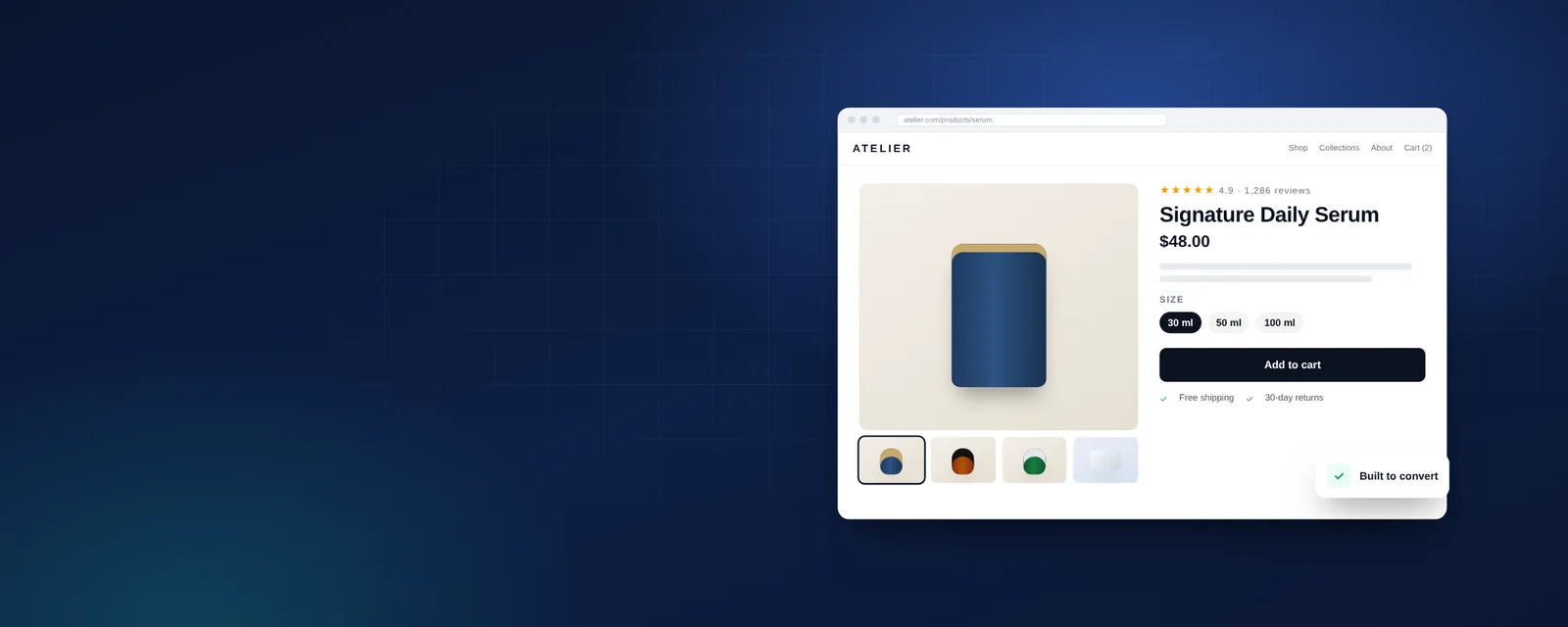
The title block should identify the product, state the single most important benefit, and show price, rating and any offer in one glance. Everything here should be readable without scrolling on a phone.
Use a descriptive product title (what it is, plus the key differentiator) and a one-line benefit statement beneath it. Show the star rating and review count linked to the reviews section. If you sell multipacks or quantities, show a unit price: Baymard found 81% of sites omit price-per-unit for multi-quantity items. Compare-at prices should be honest and, in the UK and elsewhere, consistent with consumer protection rules on reference pricing.
How Should Variant Selection Work?
Variants should be chosen with visible buttons or swatches that show every option and its availability, not hidden in drop-down menus. Baymard's benchmark found 57% of sites still do not use buttons for size selection.
Good variant UX on Shopify includes:
- Colour swatches that show the actual colour or fabric, not just a name.
- Size buttons with sold-out options visibly crossed out rather than removed, plus a "notify me" option.
- A size guide or fit note opened in a drawer, not a new page.
- Price, images and stock messages that update instantly when the variant changes, without a page reload.
Shopify raised the limit to 2,048 variants per product in October 2025, which helps catalogues with many size and colour combinations. Some products, though, are better served by a configurator than by variants. For Rijpex, VEATEX built a pergola configurator where buyers set width and height, choose colours, pick wall-mounted or freestanding, select foundations and add accessories, with relevant upsells presented along the way. Modelling those combinations as fixed variants would have been unmanageable for the merchant and confusing for buyers.
What Should Sit Next to the Add-To-Cart Button?
Next to the button, shoppers need the information that decides whether they complete checkout: delivery cost or free-shipping threshold, expected delivery date, returns summary and accepted payment methods. Surprise costs later in checkout are a leading cause of abandonment.
Baymard's 2026 benchmark found 67% of sites do not show a total cost estimate including shipping near the buy button, and 44% do not show or link the returns policy from the main product content. Both are quick wins on Shopify. Add a short delivery and returns block in the buy box, show express payment buttons where they suit your audience, and for cross-border markets state whether duties are included.
How Do You Present Value Propositions and Social Proof?
Value propositions should be specific to the product and the store, and social proof should come from real customers in a form shoppers can filter and trust. Generic badges add clutter without persuading anyone.
Replace "premium quality" icons with concrete claims you can stand behind: material, origin, guarantee length, certifications, what is included. For reviews, show the aggregate rating near the title and full reviews lower down, with filters for attributes such as fit or skin type and with customer photos. Baymard found 89% of sites do not respond to negative reviews; a short, helpful reply is cheap and visible.
If you mark reviews up with structured data, Google requires that ratings come directly from users and that the marked-up reviews are visible on the page. Shopify's structured_data Liquid filter outputs a schema.org Product or ProductGroup; our Shopify SEO guide covers how to extend it.
Which FAQs and Specifications Should a Product Page Answer?
Answer the questions that real customers send to support and that appear in reviews, plus the specifications needed to compare products. Everything else is filler.
Mine support tickets, chat logs, return reasons and competitors' reviews for recurring questions. Typical topics are sizing and fit, compatibility, materials and care, ingredients and allergens, delivery to specific regions, and what happens if the product does not suit. Use collapsible sections so the page stays short for decided buyers. Clear, factual answers also give search engines and AI assistants specific text to quote, which matters more as shoppers ask ChatGPT and Google AI Mode for recommendations.
Should You Add a Sticky Add-To-Cart, Cross-Sells and Subscriptions?
Yes, when each is implemented lightly and with clear relevance. A sticky add-to-cart keeps the action reachable on mobile, cross-sells raise order value when they are genuinely complementary, and subscriptions suit products people reorder.
- Sticky add-to-cart: appear only after the main button scrolls out of view, reflect the selected variant and price, and never cover content.
- Cross-sells: Shopify's free Search & Discovery app distinguishes related products (substitutes) from complementary products (items bought in addition), and supports manual as well as automatic recommendations. Use complementary products near the buy box and related products lower down.
- Subscriptions: present one-time and subscribe-and-save options side by side, with the saving, delivery frequency and cancellation terms stated plainly.
The Joyful Cacao product page VEATEX built uses a three-column layout with a custom subscription builder that the merchant can edit without developer help. The commercial logic behind these options is covered in Shopify subscriptions and bundles.
Theme Section or Custom Build?
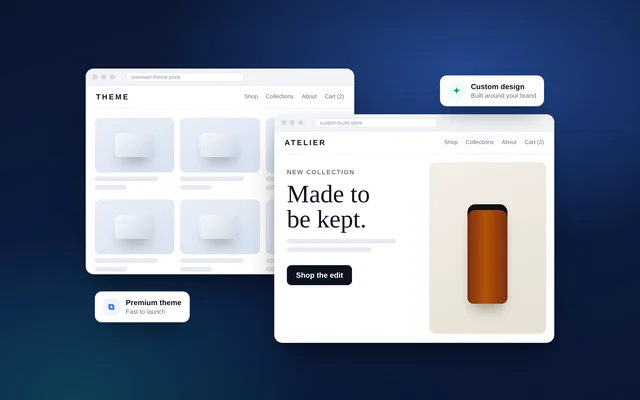
Most stores can reach a strong product page with a well-chosen Online Store 2.0 theme and a few custom sections. A custom-built template is worth it when the product needs configuration, unusual layouts or purchase logic that apps would bolt on clumsily.
Signs you have outgrown theme settings include stacking three or more apps on one template, needing logic that depends on several inputs, or a page that only works on desktop. Our comparison of custom versus premium Shopify themes explains the trade-offs, and the wider funnel is covered in Shopify CRO: changes that raise conversion rate.
How VEATEX Helps
We design and build Shopify product pages around how your customers decide, from galleries and variant UX to configurators and subscription builders, using native Shopify features before adding apps. Our work includes the Rijpex configurator and the Joyful Cacao three-column product page. VEATEX is a Shopify, web and software development agency that also builds Peppol e-invoicing platforms for the GCC, working with clients in the US, UK and the Gulf for over 11 years. See our Shopify services or browse our work.
Frequently Asked Questions
How many images should a Shopify product page have?
There is no fixed number, but each image should do a job: show the product clearly, show scale, show detail and texture, show it in use, and show what is in the box. Five to eight purposeful images usually beat fifteen near-duplicates. Add short video where movement matters, such as fabric drape or how a mechanism works, and keep file sizes small so the gallery does not slow the page.
Should product descriptions be long or short?
Lead with a short, scannable summary of benefits and key facts near the price, then put depth further down the page in collapsible sections: specifications, materials, care, sizing and FAQs. Shoppers who are ready to buy should not have to read a long essay, while shoppers who need reassurance should find detailed answers without leaving the page. Unique, specific copy also helps search engines and AI assistants.
Is a sticky add-to-cart button worth adding on Shopify?
On long product pages viewed on phones, a sticky add-to-cart bar usually helps because the main button scrolls out of view quickly. It should show the selected variant and price, respect variant selection rules, and not cover content or the chat widget. Many modern Shopify themes include it as a setting; if yours does not, it can be built as a lightweight theme section without an extra app.
How many variants can a Shopify product have?
Since October 2025 Shopify allows up to 2,048 variants per product for all merchants, up from the historic limit of 100. Older apps that do not use Shopify's current GraphQL product APIs may not handle products with more than 100 variants well. For products with many measured options, such as custom sizes, a configurator that calculates price from inputs is often cleaner than creating thousands of variants.
Where should reviews go on a product page?
Show the star rating and review count close to the product title so shoppers see social proof immediately, then place the full reviews lower on the page with filters for the attributes buyers care about, such as size fit or skin type. Customer photos are especially persuasive. Respond to negative reviews publicly, because how you handle problems is part of the trust signal.
Do product pages need different content for UAE, UK and US shoppers?
Usually yes. Currency and tax display differ: UK shoppers expect VAT-inclusive prices, US shoppers expect sales tax at checkout, and Gulf shoppers may expect cash on delivery, buy now pay later and Arabic content. Delivery promises, returns windows and sizing conventions also vary. Shopify Markets lets you localise prices, languages and some content per market from one store.
Sources
- The current state of ecommerce product page UX — Baymard Institute
- Product images: add descriptive text or graphics — Baymard Institute
- The product variant limit is now 2,048 for all merchants — Shopify Developer Changelog
- Product recommendations in Search & Discovery — Shopify Help Center
- structured_data Liquid filter — Shopify.dev
- Review snippet structured data guidelines — Google Search Central
- Performance best practices for Shopify themes — Shopify.dev
Facts checked against the sources above as of 6 Oct 2026. Rules and platform features change, so confirm time-sensitive details before acting.

VEATEX Editorial Team
Written by the strategists, developers and e-invoicing engineers at VEATEX, a Shopify, web and software development agency that also builds Peppol e-invoicing platforms for the GCC, with 1,200+ projects delivered over 11+ years. About us