
Quick answer
To speed up a Shopify store, measure real-user Core Web Vitals first, then fix the biggest causes: oversized or lazy-loaded hero images, app scripts that block rendering, heavy theme JavaScript and third-party tags. Good thresholds, measured at the 75th percentile of visits, are Largest Contentful Paint within 2.5 seconds, Interaction to Next Paint of 200 milliseconds or less, and Cumulative Layout Shift of 0.1 or less.
Key takeaways
- Core Web Vitals are LCP (loading), INP (responsiveness) and CLS (visual stability), judged at the 75th percentile of real visits.
- Use field data from Shopify's web performance dashboard or CrUX to find problems, and Lighthouse lab tests to debug them.
- The LCP image should load eagerly with high fetch priority; lazy-loading it is one of the most common Shopify mistakes.
- Every app and third-party tag adds work; uninstalling an app does not always remove its code from older themes.
- A single Lighthouse score varies between runs, so compare medians and confirm improvements in field data.
Shopify's infrastructure is fast: hosting, a global content delivery network (CDN) and image processing are handled for you. Yet many Shopify stores still load slowly and feel sluggish on phones. The cause is almost always what sits on top of the platform: the theme, the apps, the images and the marketing tags.
This guide explains how Google's Core Web Vitals work as of October 2026, how to measure them correctly on Shopify, and the fixes that make the biggest difference, in roughly the order we apply them when auditing a store.
What Are Core Web Vitals and What Are the Current Thresholds?
Core Web Vitals are three Google metrics for real-user experience: Largest Contentful Paint (LCP) for loading, Interaction to Next Paint (INP) for responsiveness and Cumulative Layout Shift (CLS) for visual stability. A page passes when the 75th percentile of visits meets the "good" threshold for each.
The thresholds below come from web.dev's documentation on Web Vitals, INP and CLS. INP replaced First Input Delay (FID) as a Core Web Vital on 12 March 2024, so older Shopify speed guides that talk about FID are out of date.
| Metric | What it measures | Good | Needs improvement | Poor | Typical Shopify cause |
|---|---|---|---|---|---|
| LCP | Time until the largest image or text block in view is rendered | 2.5 s or less | Over 2.5 s up to 4 s | Over 4 s | Large or lazy-loaded hero image, render-blocking scripts |
| INP | Delay between a click, tap or key press and the next visual update, across the visit | 200 ms or less | Over 200 ms up to 500 ms | Over 500 ms | Heavy theme and app JavaScript, long tasks on the main thread |
| CLS | How much visible content shifts unexpectedly | 0.1 or less | Over 0.1 up to 0.25 | Over 0.25 | Images without dimensions, injected banners, font swaps |
Speed has commercial weight beyond Google. In a study commissioned by Google and run by Deloitte with the agency 55 across 37 European and American brand sites, a 0.1-second improvement in mobile site speed was associated with an 8.4% increase in retail conversion rates and 9.2% higher spend. The data dates from 2019 and used older metrics, so treat it as directional evidence rather than a forecast for your store.
How Do You Measure Shopify Speed Correctly?
Use field data to find problems, lab data to debug them, and field data again to confirm the fix. That is Shopify's own recommendation in its performance testing guidance, and it avoids chasing a lab score that real customers never experience.
- Shopify web performance dashboard (field): in the Shopify admin, it shows LCP, INP and CLS from real visitors, rated Good, Moderate or Poor. Shopify's help page notes the summary covers the past 30 days, history is kept for 90 days and data can be delayed by up to 36 hours.
- PageSpeed Insights and CrUX (field): the field section of PageSpeed Insights uses the Chrome User Experience Report (CrUX) over the previous 28-day collection period. CrUX only includes eligible Chrome users and sufficiently popular pages, so small stores may only see origin-level data or none at all.
- Lighthouse (lab): a simulated test on one device and network profile. Shopify advises running it at least three times and using the median, because a single run can vary by 5 to 10 points.
- Chrome DevTools Performance panel (lab): the tool for finding which script causes a long task or which element is the LCP.
Test the templates that matter commercially, not just the home page. For its own analysis Shopify weights collection pages at 43%, product pages at 40% and the home page at 17%, reflecting their importance to conversion. Shopify Theme Store themes must average a Lighthouse performance score of at least 60 across those three page types on desktop and mobile, a useful minimum bar for any custom theme.
How Do You Fix a Slow LCP on Shopify?
Find the LCP element on each template (usually the hero image on the home page and the first product image on product pages), make sure it loads immediately with high priority at the right size, and remove anything that delays it.
web.dev's LCP optimisation guide breaks LCP into four parts: time to first byte, resource load delay, resource load duration and element render delay. It suggests the two "delay" parts should each be under about 10% of the total. On Shopify, server response is largely managed for you, so the work is usually in the other three:
- Never lazy-load the LCP image. Shopify's theme performance guidance says to load images in the initial viewport eagerly and add
fetchpriority="high"to the LCP image. Themes often applyloading="lazy"to every image, including the first slide. - Serve the right size. Use the
image_urlandimage_tagfilters withsrcsetandsizesinstead of a single large file, so phones download a phone-sized image. - Avoid sliders above the fold. Carousels delay the LCP image behind JavaScript and often load several large images at once. A single strong hero is usually faster and clearer.
- Remove render-blocking scripts. Add
deferto non-critical scripts and move app scripts that block HTML parsing out of the document head. - Host fonts on Shopify's CDN. Shopify recommends uploading web fonts rather than loading them from external font services, which removes extra connections.
How Do You Improve INP on a Shopify Store?
INP improves when less JavaScript runs on the main thread, especially during clicks on variant pickers, add-to-cart buttons, filters and menus. The fix is to ship less code, load it later and break long tasks into smaller ones.
INP measures the latency of every click, tap and keyboard interaction in a visit, not just the first, so a page can load quickly and still feel slow. On Shopify the usual sources are app widgets, tag managers firing many tags on interaction, and theme code that re-renders large sections when a variant changes. Shopify's guidance recommends loading interactive components only when needed, using dynamic import() inside event listeners so code downloads when a shopper actually uses a feature. Show visual feedback immediately (a spinner or button state) and do heavier work afterwards.
How Do You Stop Layout Shift (CLS) on Shopify?
Reserve space for everything before it loads: set width and height on images and video, give app blocks and banners fixed containers, and match fallback fonts to web fonts. CLS is the easiest Core Web Vital to fix once you find the moving element.
- Use
image_tag, which outputs width and height attributes, rather than hand-writtenimgtags. - Give announcement bars, review stars and "buy now, pay later" messages a reserved height so they do not push content down when their script loads.
- Use
size-adjustand related descriptors on fallback fonts, as Shopify suggests, so text does not reflow when the web font arrives. - Avoid inserting content above existing content after load, such as late cookie banners at the top of the page.
How Much Do Apps and Third-Party Scripts Slow Shopify Down?
Apps and third-party scripts are the most common cause of a slow Shopify store. Each one adds downloads and main-thread work, and their costs add up across every page view.
Shopify takes app impact seriously: to earn the Built for Shopify status, an app must not reduce the storefront Lighthouse performance score by more than ten points. That limit applies to a single app; a store with eight apps can lose far more. A practical audit runs like this:
- List every installed app and every app embed enabled in the theme editor.
- For each, record what it does on the storefront and whether it is still used.
- Uninstall unused apps, then search theme files for leftover snippets and script tags. Apps installed before theme app extensions often edited theme code directly, and that code can remain after uninstalling.
- Review marketing tags: duplicate analytics, old pixels and heatmap tools left running permanently.
- Replace single-purpose apps with native theme features where reasonable, such as a sticky add-to-cart or size chart drawer.
When Is the Theme Itself the Problem?
The theme is the problem when field data stays poor after images and apps are fixed, or when the theme ships large JavaScript bundles and many features you do not use. At that point, a leaner theme or rebuilt templates beat further tweaking.
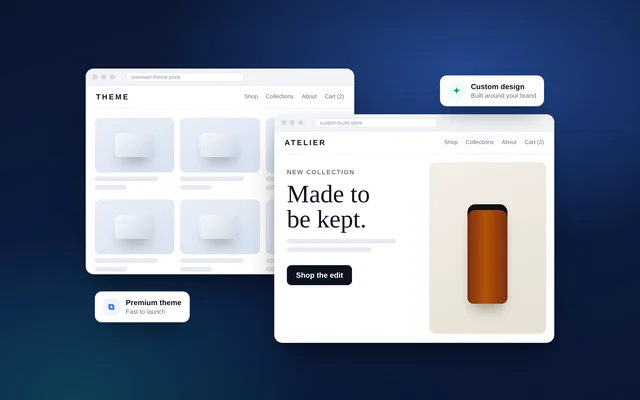
Warning signs include deeply nested Liquid loops that slow server rendering on large catalogues, which Shopify specifically warns against, multiple JavaScript libraries doing similar jobs, and sections that load full product data for every card in a grid. Our comparison of custom and premium Shopify themes covers when a rebuild makes sense. If you are moving from another platform, building a fast theme from the start is cheaper than fixing a slow one later; see migrating to Shopify.
Speed work pays off twice: in conversion, covered in Shopify CRO, and as one of the technical foundations in our Shopify SEO guide.
How VEATEX Helps
We run Shopify speed audits using field data first, then fix the causes in code: LCP images, app and script clean-up, JavaScript loading, layout shift and, where needed, rebuilt templates. We check results against Shopify's dashboard and CrUX rather than a one-off score. VEATEX is a Shopify, web and software development agency that also builds Peppol e-invoicing platforms for the GCC, working with clients in the US, UK and the Gulf for over 11 years. See our Shopify development services.
Frequently Asked Questions
What is a good PageSpeed score for a Shopify store?
The Lighthouse performance score is a lab estimate, not a ranking factor in itself, and it varies by 5 to 10 points between runs according to Shopify. As a reference point, Shopify requires themes in its Theme Store to average at least 60 across home, product and collection pages on desktop and mobile. What matters more is passing Core Web Vitals for real users, shown in PageSpeed Insights field data or Shopify's dashboard.
Why is my Shopify store slow on mobile but fine on desktop?
Mobile tests simulate a slower processor and network, and real phones have less computing power than laptops, so heavy JavaScript and large images hurt far more. Apps that inject scripts, sliders, video backgrounds and chat widgets are common culprits. Check field data split by device in Shopify's web performance dashboard, then profile the mobile version of your slowest template in Chrome DevTools.
Does Shopify store speed affect Google rankings?
Core Web Vitals are part of Google's page experience signals, but relevance and content quality matter much more, so a faster page will not outrank a far more useful one. Speed has a clearer effect on conversions and on how many pages users view. Treat speed as a requirement for good user experience and conversion, with SEO as a secondary benefit.
Do Shopify apps slow down my store?
Apps that add storefront scripts, styles or widgets can slow your store, especially when several load on every page. Shopify's Built for Shopify standard requires apps not to reduce the storefront Lighthouse score by more than ten points, which shows the effect can be significant. Remove unused apps, disable app embeds you do not need and check theme files for leftover code from apps installed before theme app extensions existed.
How long does it take to see Core Web Vitals improvements?
Lab tools such as Lighthouse show changes immediately, but field data takes time. PageSpeed Insights and CrUX report real-user data over a rolling 28-day period, and Shopify's dashboard summarises the past 30 days with up to 36 hours' delay. Expect a fix to show fully in field data after about four weeks of normal traffic, which is why changes should be logged with dates.
Is a headless Shopify build faster than a theme?
Not automatically. A headless storefront built with Hydrogen or another framework can be very fast, but it also moves performance responsibility to your team and adds hosting and development complexity. A well-built Online Store 2.0 theme with disciplined apps and scripts passes Core Web Vitals for most stores. Consider headless for specific needs such as complex content experiences, not for speed alone.
Sources
- Web Vitals — web.dev
- Interaction to Next Paint (INP) — web.dev
- Interaction to Next Paint is officially a Core Web Vital — web.dev
- Optimize Largest Contentful Paint — web.dev
- Cumulative Layout Shift (CLS) — web.dev
- About PageSpeed Insights — Google for Developers
- CrUX methodology — Chrome for Developers
- Web performance dashboard — Shopify Help Center
- Performance best practices for Shopify themes — Shopify.dev
- Testing for performance — Shopify.dev
- Built for Shopify requirements — Shopify.dev
- Milliseconds make millions — web.dev case study
Facts checked against the sources above as of 6 Oct 2026. Rules and platform features change, so confirm time-sensitive details before acting.

VEATEX Editorial Team
Written by the strategists, developers and e-invoicing engineers at VEATEX, a Shopify, web and software development agency that also builds Peppol e-invoicing platforms for the GCC, with 1,200+ projects delivered over 11+ years. About us