Quick answer
To migrate to Shopify, export and clean your data, import products first, then customers, then historical orders, rebuild the theme and apps, and map every old URL to its new Shopify URL with 301 redirects. Set up payments, tax and shipping, run test orders, then switch the domain in a planned launch window and monitor Search Console, redirects and orders closely for the following weeks.
Key takeaways
- Shopify's own guidance is to import products first, then customers, then historical orders, so orders link to the right products and customers.
- Shopify uses fixed URL patterns such as /products/ and /collections/, so almost every URL from WooCommerce, Magento or BigCommerce needs a 301 redirect.
- Shopify redirects only fire for URLs that no longer exist, and standard plans allow up to 100,000 redirects (20 million on Plus).
- Password hashes do not transfer, but Shopify's new customer accounts use one-time email codes, so customers sign in without resetting a password.
- Replace plugins and extensions with apps or custom code by function, not one-for-one, and test every integration before cut-over.
Brands usually move to Shopify for the same reasons: plugin conflicts and security patching on WooCommerce, upgrade and hosting overhead on Magento (Adobe Commerce), or a wish to consolidate apps and checkout on one platform after BigCommerce. The platform change itself is rarely the risk. The risk is losing data, search rankings or a week of sales because the migration was treated as a design project instead of a data and SEO project.
This checklist covers what to move, in what order, how to protect SEO, and how to run launch day, with notes specific to each source platform. It reflects Shopify's documentation as of October 2026.
What Does a Shopify Migration Involve, Step by Step?
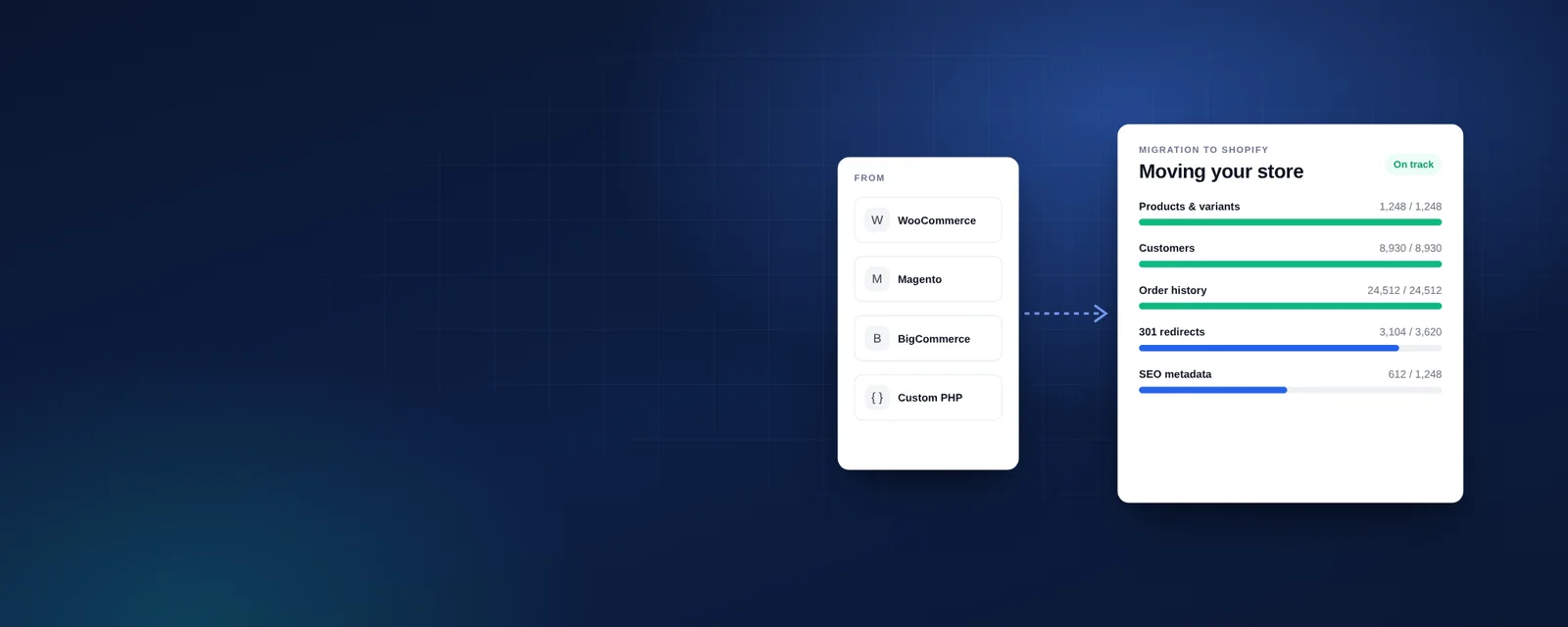
A migration has three tracks running in parallel: data, storefront and operations. Shopify's own migration guide sequences the work as importing content and data, organising products, building the storefront, setting up shipping, taxes and payments, placing test orders, adding staff, connecting the domain and, optionally, configuring SEO.
We treat SEO as mandatory rather than optional, and add two steps Shopify's list leaves implicit: an audit before you start, and monitoring after you launch.
- Audit: inventory products, variants, customers, orders, content, URLs, apps or plugins, integrations and traffic-driving pages.
- Clean: remove dead products, merge duplicates, fix missing weights, SKUs and images before export.
- Import: products, then customers, then historical orders, then gift cards, blogs and pages.
- Build: theme, navigation, collections, filters and templates.
- Reconnect: apps, ERP, marketing, reviews, subscriptions and analytics.
- Configure: payments, tax, shipping, markets and notifications.
- Redirect: map every old URL to its new Shopify URL.
- Test: full QA and test orders.
- Launch: domain switch, final delta import and monitoring.
Which Data Can You Move to Shopify, and in What Order?
You can move products, customers, historical orders, gift cards and store credit, blog posts and pages. Shopify's guidance is to import products first, then customers, then historical orders, so each order links to the right product and customer records.
The import method depends on volume and complexity:
- CSV import: built into Shopify for products and customers; fine for small, simple catalogues.
- Shopify's Store Migration app: Shopify's own tool for bringing content and data across.
- Third-party migration apps: tools such as LitExtension and Cart2Cart support WooCommerce, Magento, BigCommerce and other platforms, and can move orders, multi-language content and redirects.
- Custom scripts via the Shopify API: for non-standard data such as custom fields, B2B price lists, bundles or subscription contracts.
Two data points need special handling. Customer passwords cannot be transferred, because platforms store them as one-way hashes; Shopify's new customer accounts sign shoppers in with one-time email codes, which removes most of the pain. And marketing consent must come across accurately for each customer, because importing everyone as subscribed creates both a legal problem and a deliverability problem.
Check the product model before you import. Shopify structures products as options and variants, with metafields for extra attributes, so complex configurable products, made-to-measure options or very large variant matrices may need restructuring. Confirm Shopify's current option and variant limits against your largest products early, because redesigning the catalogue late in the project delays everything that depends on it.
How Does Migration Differ from WooCommerce, Magento and BigCommerce?
The steps are the same, but each platform structures data and URLs differently, so the mapping work and the usual pitfalls change.
| Source platform | Typical data challenges | URL and SEO notes | What to plan for |
|---|---|---|---|
| WooCommerce | Variable products with many attributes; plugin data in custom fields; inconsistent SKUs | Product and category bases (often /product/ and /product-category/) change to /products/ and /collections/ | Replace each plugin by function; move custom fields to metafields |
| Magento (Adobe Commerce) | Configurable, bundle and grouped products; multiple store views; customer groups and tier pricing; large order history | .html suffixes, category paths and store-view URLs all need mapping | Map store views to Shopify Markets and languages; plan B2B pricing; budget extra QA |
| BigCommerce | Option sets and modifiers; customer groups and price lists; product custom fields | Products and categories often sit at root-level URLs, so redirects must be exact | Rebuild modifiers with variants, metafields or an options app; check B2B needs |
If you are still deciding whether to move from WooCommerce at all, our Shopify vs WooCommerce comparison sets out the trade-offs. Multi-language Magento stores moving to Shopify should also read our guide to bilingual Arabic–English Shopify stores, which covers how Shopify handles languages and hreflang.
How Do You Set Up 301 Redirects When Moving to Shopify?
Build a complete map of old URLs to new Shopify URLs and import it as a CSV. Shopify uses fixed path patterns — /products/, /collections/, /pages/ and /blogs/ — so nearly every URL from another platform changes and needs a permanent (301) redirect.
Shopify's redirect rules shape the plan:
- Only broken URLs redirect. A redirect fires only when the old URL returns "Page not found", so make sure no live Shopify page shares the old path.
- Limits: standard plans allow up to 100,000 URL redirects and Shopify Plus up to 20,000,000.
- Bulk import: redirects can be uploaded in bulk from a CSV file using Shopify's template.
Collect old URLs from several sources, not just the platform export: your XML sitemap, a full site crawl, Google Search Console's top pages, analytics landing pages and backlink reports. Redirect each URL to its closest equivalent, not to the home page, and avoid chains where an old URL redirects through an intermediate one. Images, PDFs and old campaign landing pages are easy to forget.
How Do You Protect SEO During a Shopify Migration?
Keep what Google already ranks, and change as little as possible at the same time. Redirects are necessary, but rankings also depend on titles, content, internal links, structured data and speed staying at least as good as before.
- Benchmark rankings, organic traffic and revenue by landing page before migration.
- Carry over SEO titles, meta descriptions, headings, product descriptions and alt text.
- Keep category content and blog posts; deleting them is the most common cause of lasting traffic loss.
- Update internal links in content and menus to point directly at new URLs.
- Check that product structured data, canonical tags and the sitemap are present on the new store.
- For multi-language stores, confirm hreflang output; Shopify generates it automatically for subfolders and domains.
- Submit the new sitemap in Search Console on launch day and watch crawl errors daily for the first weeks.
Our website redesign checklist covers relaunch SEO in more depth, and Shopify SEO: rank in Google and AI search covers optimisation once you are live.
What Happens to Plugins, Apps, Payments and Integrations?
Replace them by function rather than name. List what each plugin or extension actually does — reviews, subscriptions, search, loyalty, B2B pricing, product options — and decide whether Shopify does it natively, an app does it, or it needs custom development.
Payments often change too. Shopify Payments is available in a defined list of countries, including the US, the UK, the UAE and much of Europe; elsewhere, or where you need methods such as mada, you will connect a third-party gateway. Saved card tokens rarely transfer between processors, so subscription businesses need a specific plan for migrating recurring billing, agreed with both the old and new provider.
Tax and shipping need rebuilding, not importing: configure Shopify Tax or your tax settings, shipping profiles and rates, then test them against real orders from your old platform. ERP, warehouse and accounting integrations should be reconnected and tested with real order flows, including refunds and partial shipments. For deeper back-office integrations, see our custom software and ERP integration work.
What Should a Shopify Migration Launch Day Look Like?
Launch on a low-traffic day, with a written runbook, a named owner for each step and a rollback plan. Most problems on launch day come from steps that were never written down.
- Freeze product and content changes on the old platform.
- Run the final delta import of new orders, customers and stock levels.
- Remove Shopify's storefront password and point the domain to Shopify.
- Upload the final redirect CSV and spot-check the top 100 old URLs.
- Place live test orders with each payment method and refund them.
- Check analytics, pixels and conversion tracking are firing.
- Submit the sitemap and monitor 404s, orders and site speed hourly on day one, then daily.
Keep the old platform's admin and database accessible (offline to the public) for at least a few months, so you can retrieve any record the migration missed. Our guide to the cost drivers of a Shopify build explains how data volume, integrations and design scope affect migration budgets.
How VEATEX Helps
VEATEX is a Shopify, web and software development agency that also builds Peppol e-invoicing platforms for the GCC, working with clients in the US, UK and the Gulf for over 11 years. We migrate stores from WooCommerce, Magento and BigCommerce to Shopify: data audits and cleaning, rehearsal imports, custom scripts for data apps cannot map, full redirect maps, theme builds, app replacement and ERP reconnection, followed by launch-day support and post-launch monitoring. See our Shopify development services or discuss your migration with us.
Frequently Asked Questions
Will I lose my Google rankings when I migrate to Shopify?
Not if the migration is planned well. Rankings usually dip briefly while Google recrawls, then recover when every old URL 301-redirects to its closest equivalent, titles and content are preserved, internal links are updated and the new store is at least as fast. The biggest losses come from missing redirects, deleted content and changed product names, all of which are avoidable.
Can I migrate customer passwords to Shopify?
No. Platforms store passwords as one-way hashes that Shopify cannot reuse. In practice this matters less than it used to, because Shopify's new customer accounts let shoppers sign in with a one-time code sent to their email. Import customers with their email addresses and consent status, then tell them how the new sign-in works.
Should I migrate historical orders?
Usually yes, at least for the last two or three years. Historical orders let customers see their purchase history, keep lifetime value and repeat-purchase data intact for marketing, and help customer service handle returns. Import them after products and customers so they link correctly, and make sure imported orders do not trigger notification emails to customers.
How long does a migration to Shopify take?
It depends on catalogue size, data quality, design scope and integrations. A small WooCommerce store with a premium theme moves much faster than a Magento store with multiple store views, B2B pricing and an ERP connection. Plan for data cleaning, a full redirect map and at least one rehearsal migration, because rushing those steps causes most post-launch problems.
Is there a free tool to migrate to Shopify?
Shopify offers its Store Migration app and CSV imports for products and customers. Paid third-party tools such as LitExtension and Cart2Cart cover more platforms and data types, including orders, multi-language content and 301 redirects. Large or customised stores often combine an app for bulk data with custom scripts via the Shopify API for anything the app cannot map.
Do I need to change payment providers when I move to Shopify?
Often, yes. Shopify Payments is available in a defined list of countries, including the US, UK and UAE, and using it avoids Shopify's additional transaction fee on third-party gateways. If your country is not supported, or you rely on a regional method such as mada, choose a gateway with a Shopify integration and test it before launch.
Sources
- Migrating to Shopify — Shopify Help Center
- URL redirects — Shopify Help Center
- LE Store Migration & Import — Shopify App Store
- Cart2Cart Store Migration App — Shopify App Store
- Shopify ends support for legacy customer accounts — PowerCommerce
- International domains and SEO — Shopify Help Center
- Shopify Payments supported countries — Shopify Help Center
- Shopify Tax — Shopify Help Center
Facts checked against the sources above as of 7 Oct 2026. Rules and platform features change, so confirm time-sensitive details before acting.

VEATEX Editorial Team
Written by the strategists, developers and e-invoicing engineers at VEATEX, a Shopify, web and software development agency that also builds Peppol e-invoicing platforms for the GCC, with 1,200+ projects delivered over 11+ years. About us